Want your website to show up on Google’s first page? You need the right tools. On-page SEO tools help you fix your content, improve your keywords, and make your website easy for Google to read and rank. In this guide, we will show you the best on-page SEO tools in 2026 — explained in simple words so anyone can understand and use them.
If you have ever asked yourself, “Why is my website not showing on Google?” — you are not alone. Millions of website owners deal with this problem every day. The good news is that on-page SEO can fix a lot of these issues. And the even better news? There are some amazing free and paid tools that can help you do it faster and smarter.
Whether you run a blog, a business website, or an online store, the right on-page SEO tool can make a big difference. These tools check your pages, find problems, and tell you how to fix them step by step. Think of them like a personal SEO helper that works 24/7.
In this article, we will go through the best tools available right now in 2026, what each one does, and who should use it. We will also give you tips on how to use them the right way.
What is On-Page SEO and Why Does It Matter?
Before we jump into the tools, let us quickly understand what on-page SEO actually means. On-page SEO is all the work you do on your own website to help it rank higher on search engines like Google. This includes:
- ✓ Using the right keywords in your content
- ✓ Writing good title tags and meta descriptions
- ✓ Making your images load fast and using alt text
- ✓ Creating clear headings (H1, H2, H3)
- ✓ Building internal links between your pages
- ✓ Improving page speed and mobile friendliness
- ✓ Keeping your content fresh, helpful, and easy to read
When you do all of these things correctly, Google understands your content better and shows it to more people. That means more visitors, more leads, and more money for your website. That is why on-page SEO matters so much — it is the foundation of every successful website.
Now, doing all of this by hand takes a lot of time. That is where on-page SEO tools come in. They do the heavy lifting for you and point out exactly what needs to be fixed.
Best On-Page SEO Tools in 2026
We tested and reviewed dozens of tools. Here are the top picks that are worth your time in 2026:
1- Surfer SEO Paid
Surfer SEO is one of the most popular on-page optimization tools right now. It shows you how well your content is written compared to the pages already ranking on Google. You get a real-time content score as you write — kind of like a grade for your article.
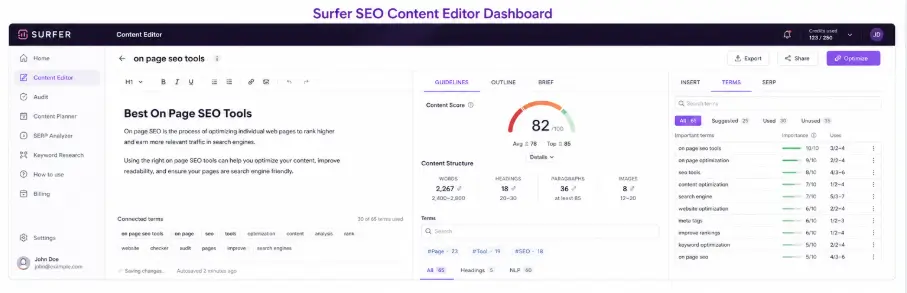
Surfer checks things like keyword density, word count, number of headings, images, and internal links. It then tells you what to add, remove, or change to improve your score. This tool is great for bloggers, SEO writers, and marketing teams who produce a lot of content.
Best for: Content optimization, keyword usage, SERP competitor analysis
Why we like it: Easy to use, clear suggestions, great for writing optimized articles from scratch
2- Yoast SEO Freemium
If you use WordPress, you have probably heard of Yoast SEO. It is one of the oldest and most trusted SEO plugins in the world. Yoast works right inside your WordPress editor. It checks your content as you write and gives you green, orange, or red lights to show how well optimized your page is.
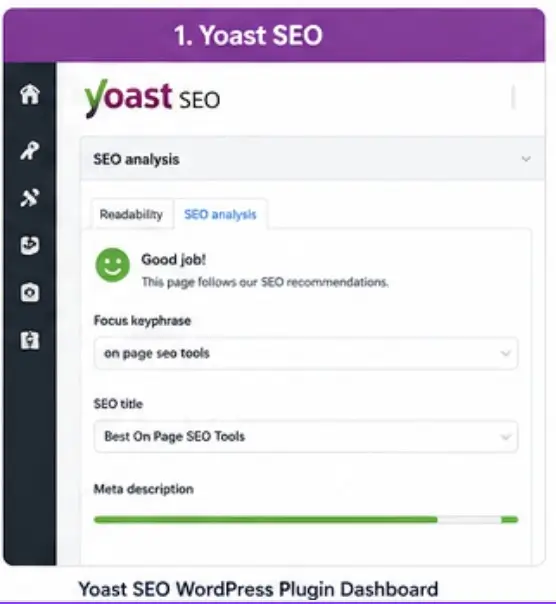
It checks your focus keyword, meta description, title length, internal links, readability, and much more. The free version is good enough for beginners. The premium version adds features like keyword suggestions, redirect management, and internal linking tools.
Best for: WordPress users, beginners, bloggers
Why we like it: Beginner-friendly, free version is solid, works in real time
3- Google Search Console Free
Google Search Console (GSC) is a completely free tool made by Google itself. It is one of the most important tools for any website owner. GSC shows you how your website is performing in Google search — which pages are getting clicks, which keywords are bringing visitors, and which pages have errors.
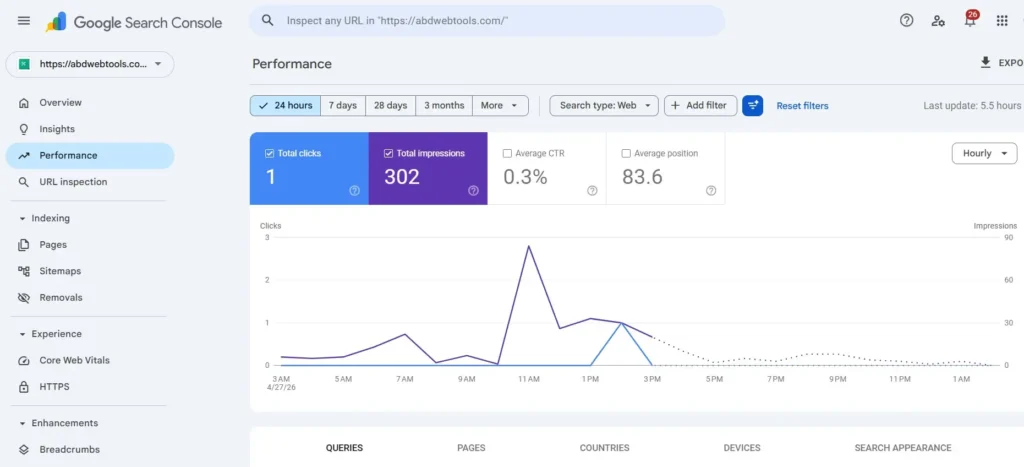
It also tells you when Google has trouble crawling or indexing your pages. You can submit your sitemap, check mobile usability, and see if your pages are covered by any manual penalties. If you are serious about SEO, Google Search Console is a must-have tool — and it costs nothing.
Best for: Everyone — from beginners to advanced users
Why we like it: 100% free, comes straight from Google, shows real data
4- SEMrush On-Page SEO Checker Paid
SEMrush is a complete SEO toolkit, and its on-page SEO checker is one of its best features. You enter your URL and the keyword you want to rank for, and the tool gives you a detailed report on what you need to improve. It checks your content, backlinks, technical issues, and even what your top 10 competitors are doing differently.
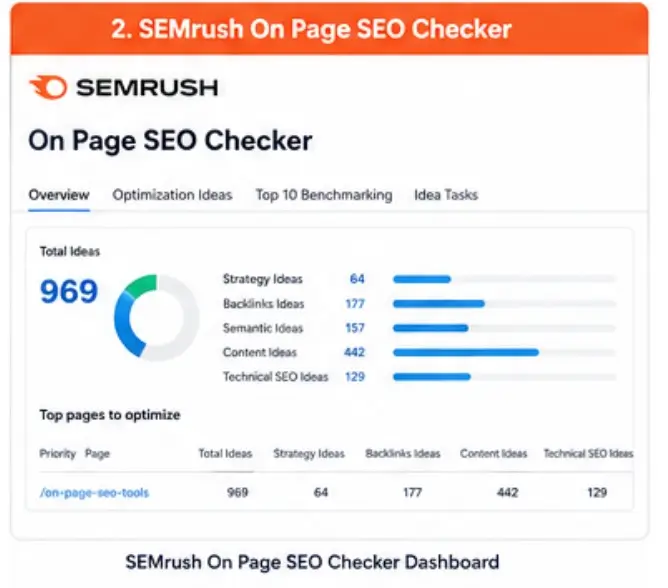
SEMrush also gives you an “ideas” list — broken into strategy ideas, backlink ideas, semantic ideas, content ideas, and technical ideas. This is really helpful because it gives you a clear action plan without guessing.
Best for: Marketing agencies, advanced SEO users, businesses
Why we like it: Super detailed, covers everything, actionable suggestions
5- Ahrefs Webmaster Tools Freemium
Ahrefs is best known for its backlink checker, but its Webmaster Tools also offer excellent on-page SEO features. You can audit your entire website for SEO issues, find broken links, check your page structure, and see how your content performs against competitors.
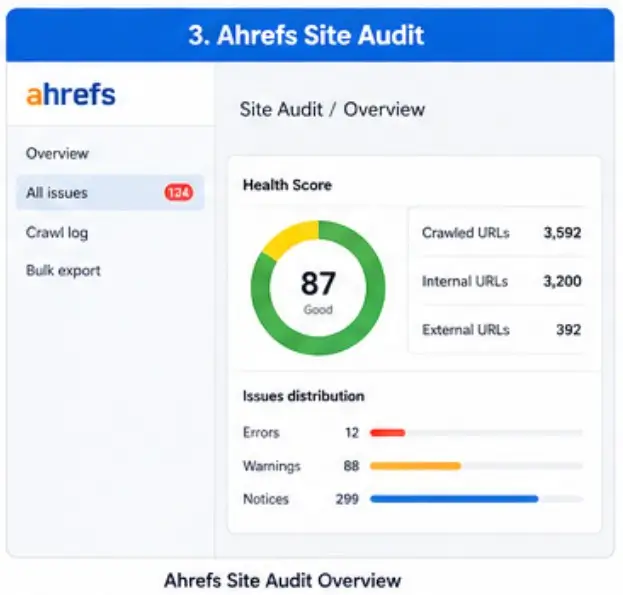
The free version of Ahrefs Webmaster Tools gives you access to your own website’s SEO health data, which is very useful for small business owners. The paid plans give you access to keyword research, content gap analysis, and competitor tracking.
Best for: Website owners who want a full SEO audit
Why we like it: Trusted name in SEO, free tier available, very accurate data
6- Screaming Frog SEO Spider Freemium
Screaming Frog is a desktop tool that crawls your website just like Google does. It finds broken links, duplicate content, missing meta tags, thin pages, redirect chains, and hundreds of other issues that can hurt your SEO rankings.
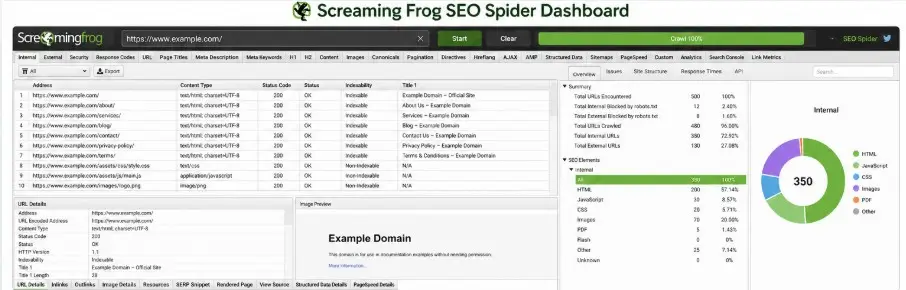
The free version lets you crawl up to 500 URLs, which is good for small websites. The paid version removes this limit and adds features like Google Analytics integration, JavaScript rendering, and scheduled crawls. It is a bit technical, but once you learn it, it becomes one of the most powerful tools in your SEO toolkit.
Best for: SEO professionals, developers, technical SEO audits
Why we like it: Extremely detailed, great for finding hidden technical issues
7- ABDWebTools Page Authority Checker | SEO Page Metric Free
For those looking for a quick, easy, and completely free way to check their on-page SEO, the ABDWebTools Page Authority Checker is a great starting point. You simply enter your URL, and within seconds you get a full report on your page’s SEO health — including title tag, meta description, keyword usage, heading structure, image alt text, and more.
It is designed to be simple enough for beginners but detailed enough to be actually useful. If you are new to SEO or just want a fast audit without signing up for an expensive tool, this is the perfect option to start with.
Best for: Beginners, small website owners, quick audits
Why we like it: Completely free, fast, beginner-friendly, no sign-up needed
Pro Tip: You do not need to use every tool on this list. Start with one or two free tools like Google Search Console and ABDWebTools SEO Checker. Once you get comfortable, you can add more advanced tools like Surfer SEO or SEMrush to your workflow.
Quick Comparison of Top On-Page SEO Tools
| Tool | Price | Best For | Ease of Use |
|---|---|---|---|
| Surfer SEO | Paid | Content optimization | Medium |
| Yoast SEO | Free / Paid | WordPress users | Easy |
| Google Search Console | Free | Everyone | Easy |
| SEMrush | Paid | Agencies, advanced users | Medium |
| Ahrefs Webmaster Tools | Free / Paid | Full site audits | Medium |
| Screaming Frog | Free / Paid | Technical SEO | Hard |
| ABDWebTools SEO Checker | Free | Beginners, quick audits | Very Easy |
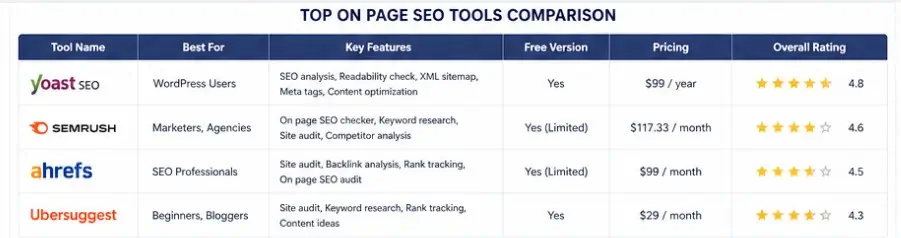
Key On-Page SEO Factors These Tools Help You Fix
Even if you have the best tools in the world, they only work when you know what to look for. Here are the most important on-page SEO factors that all of these tools help you improve:
1. Title Tags
Your title tag is the headline that appears on Google search results. It should include your main keyword and be between 50–60 characters. A good title tag tells both Google and the user what your page is about. Most SEO tools will flag a title that is too long, too short, or missing a keyword.
2. Meta Descriptions
The meta description is the small paragraph that shows under your title in Google results. It does not directly affect rankings, but it does affect whether people click on your page. A good meta description is 150–160 characters and includes your focus keyword naturally.
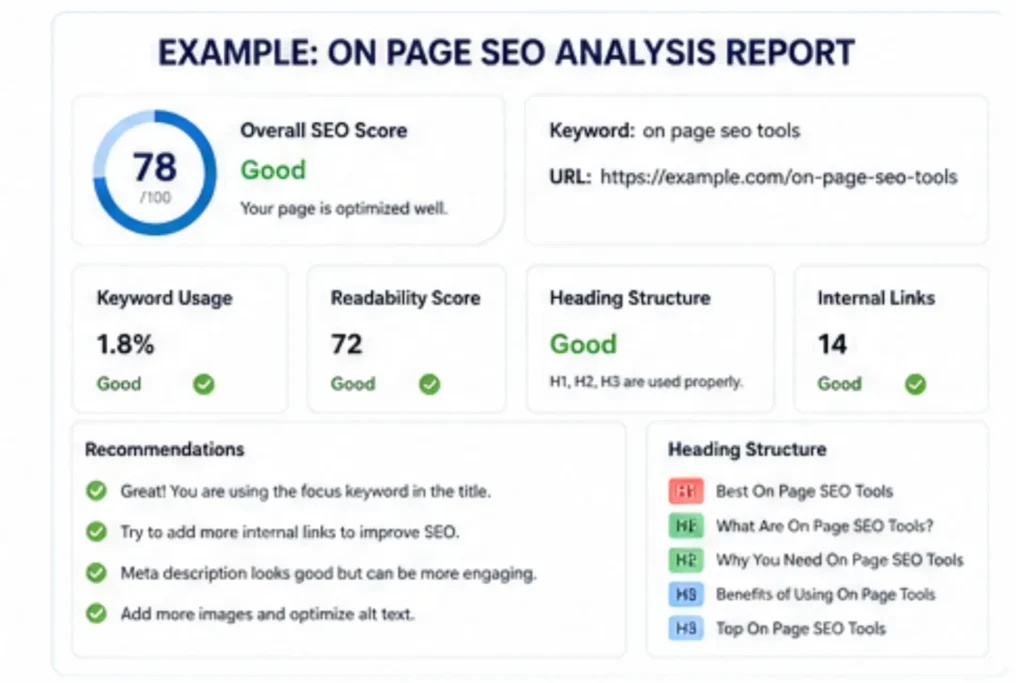
3. Header Tags (H1, H2, H3)
Headers help organize your content so it is easy to read — for both people and Google bots. Every page should have one H1 tag (your main title), and then H2 and H3 tags for sub-sections. Using your keywords in headers also helps Google understand your topic better.
4. Keyword Placement and Density
Your focus keyword should appear in the first paragraph, in a few headings, and naturally throughout the content. Do not stuff keywords — it looks spammy and Google will penalize you for it. A good rule of thumb is to use your main keyword once every 200–300 words.
5. Image Optimization
Images make your content more interesting. But if they are not optimized, they can slow down your page and hurt your SEO. Always add alt text to your images — this helps Google understand what the image is about. Also compress your images to make them smaller and faster to load.
6. Internal Linking
Internal links connect your pages to each other. They help visitors find more of your content and also help Google crawl and understand the structure of your website. Every article you write should link to at least 2–3 other pages on your website. This is something the ABDWebTools SEO Backlink Checker can help you manage easily.
7. Page Speed
Google uses page speed as a ranking factor. If your page is slow, people leave before reading — and Google notices this. You can use tools like Google PageSpeed Insights to test and improve your page speed for free.
8. Mobile Friendliness
More than half of all internet traffic comes from mobile phones. If your website does not look good on a phone, you will lose visitors and rankings. Google actually uses the mobile version of your website to decide where to rank it — this is called mobile-first indexing.
What Are On Page SEO Tools?
On page SEO tools are software and online platforms that help you improve your website content, structure, and HTML elements so your pages rank higher on search engines like Google.
A good on page SEO tool checks things like keyword usage, headings, internal links, meta tags, page speed, and readability. These tools are also called on-page SEO tools, onpage SEO tools, or even on site SEO tools because they focus on optimizing everything inside your website.
Whether you are a beginner or expert, using the best on page SEO tools can help you fix errors and improve rankings faster.
Why You Need On Page SEO Tools in 2026
Search engines have become smarter, and simple keyword stuffing no longer works. That’s why using on page SEO software or an on page optimization tool is important.
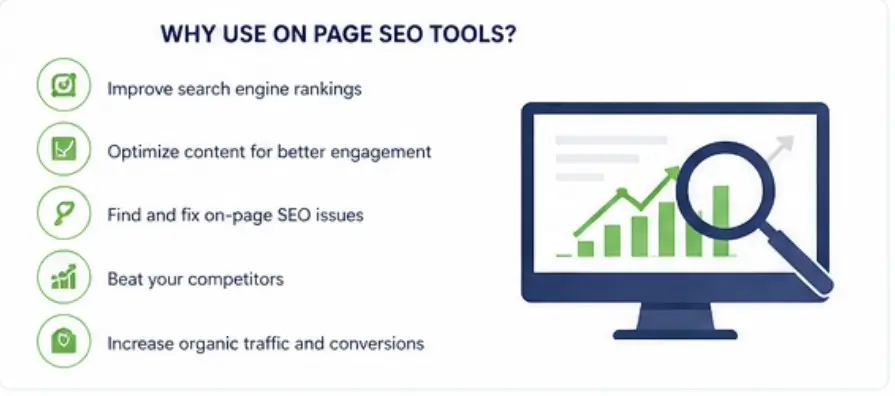
Here’s what modern on-page SEO tools can do:
- Analyze your content using AI
- Suggest keyword placement (for better SEO onpage optimization)
- Improve title and meta description
- Optimize headings (H1, H2, H3)
- Detect duplicate or thin content
- Help with internal linking strategy
If you are serious about ranking, a best on page SEO analysis tool is no longer optional—it’s necessary.
Types of On Page SEO Tools
There are different types of on page optimization tools available online:
1. Content Optimization Tools
These tools help improve your content quality and keyword usage. They act as a smart SEO on page tool that ensures your content matches search intent.
2. Technical On Page Tools
These tools check technical issues like page speed, mobile usability, and HTML structure. They are often called on-page SEO software.
3. On Page Checker Competitor Tools
An on page checker competitors tool lets you analyze top-ranking pages and understand why they rank higher than you.
4. Free Online Tools
Many platforms offer a free on page SEO tool online where you can quickly analyze your page without installing anything.
Features of the Best On Page SEO Tools
When choosing the best onpage SEO tool, look for these features:
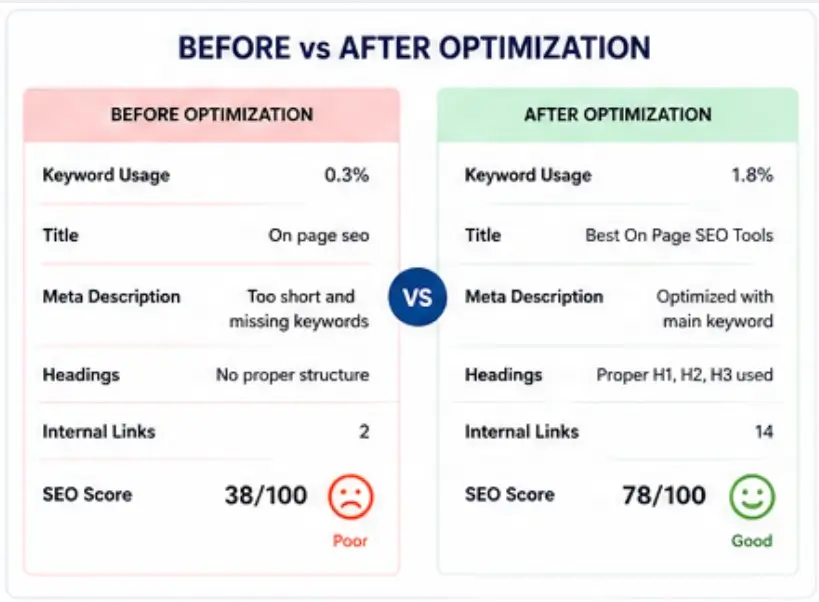
- Keyword analysis and suggestions
- Content scoring system
- SERP comparison
- Competitor insights
- Real-time optimization tips
- Technical SEO audit
The best on-page SEO tools combine all these features in one dashboard, making it easier to optimize your website.
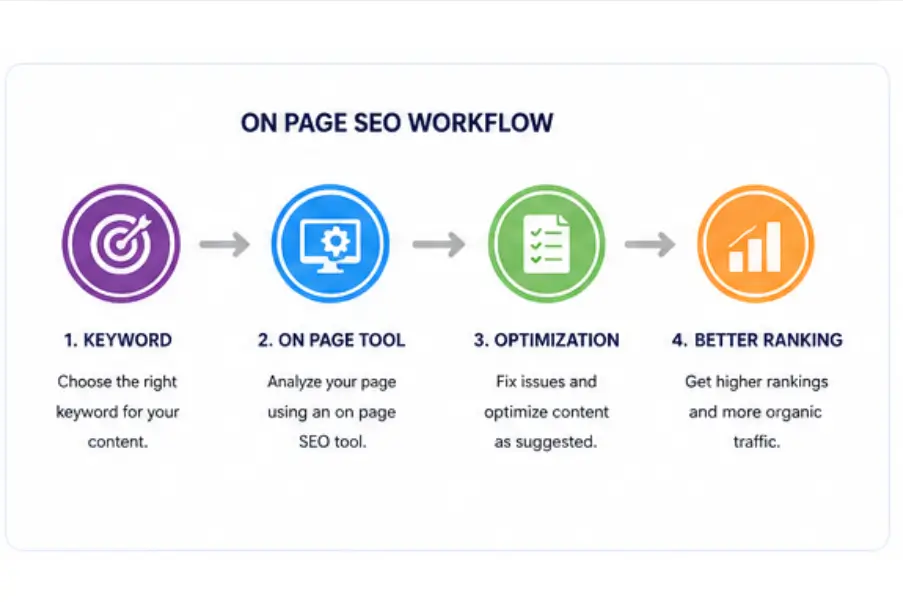
How to Use an On Page SEO Tool (Step-by-Step)
Using an onpage SEO tool is simple:
- Enter your target keyword
- Add your webpage URL
- Run the analysis
- Follow suggestions from the on page analysis tools
- Optimize your content accordingly
Repeat this process to improve your SEO on-page tools performance and rankings.
How to Choose the Right On-Page SEO Tool for You
- ✓ Are you a beginner? Start with Google Search Console and ABDWebTools — both are free and easy
- ✓ Do you use WordPress? Yoast SEO is the perfect plugin for you
- ✓ Do you write a lot of content? Surfer SEO will save you hours every week
- ✓ Do you run an agency or manage multiple websites? SEMrush or Ahrefs are worth the investment
- ✓ Do you have a large website with technical issues? Screaming Frog will dig deep and find everything
- ✓ Do you want a free, fast audit of any page? Use the ABDWebTools SEO Checker — no sign-up needed
Common On-Page SEO Mistakes to Avoid
Keyword stuffing — Repeating your keyword too many times sounds unnatural and Google will actually lower your ranking. Write for humans first, then optimize for Google.
Thin content — Pages with less than 300 words often do not rank well. Try to write at least 800–1,500 words for blog posts and make sure every word adds value.
Duplicate content — Having the same content on two different pages confuses Google. Use canonical tags or rewrite one version to be unique.
Missing alt text — Many website owners skip image alt text, but it is an easy win for SEO. Always describe your images clearly.
Slow page speed — Every extra second it takes your page to load costs you visitors. Compress images, use a good hosting provider, and enable caching.
You can also learn more about avoiding these mistakes by reading the official guidance from Google’s SEO Starter Guide, which is a great free resource for beginners and experienced SEOs alike.
More Helpful Tools & Guides on ABDWebTools
- Keyword CPC Calculator
- AI SEO Meta Title Generator
- Meta Tag Generator — Create perfect title & description tags
- PageSpeed Insights Checker | Performance Tool
- Keyword Density Checker — Analyze keyword usage in your content
Frequently Asked Questions (FAQs)
What is the best free on-page SEO tool in 2026?
Google Search Console is the best free tool overall because it comes directly from Google and shows real search data. For a quick one-page audit without signing up, the ABDWebTools SEO Checker is a great free option too.
Do I need to pay for an SEO tool to rank on Google?
No, you do not need to pay. Free tools like Google Search Console, Yoast SEO (free version), and ABDWebTools can get you very far — especially if you are just starting out. Paid tools just give you more data and automation, which saves time at scale.
How often should I run an on-page SEO audit?
For most websites, running a full audit once a month is a good habit. If you publish new content frequently, check each new page before publishing. Regular audits help you catch problems early before they affect your rankings.
Can on-page SEO tools help my website rank faster?
Yes, using these tools correctly can speed up your ranking process. They help you avoid common mistakes, optimize content properly, and fix technical issues that might be holding your website back. However, SEO still takes time — usually 3 to 6 months to see significant results.
Is Yoast SEO better than Surfer SEO?
They serve different purposes. Yoast SEO is a WordPress plugin that helps with basic on-page optimization — great for beginners. Surfer SEO is a content optimization tool that compares your article to top-ranking competitors — better for advanced content writers. Ideally, you can use both together.
What is the best on page SEO tool?
The best on page SEO tool depends on your needs, but tools that provide content analysis, keyword suggestions, and competitor insights are considered the best.
Are there free on page SEO tools available?
Yes, many platforms offer free on page SEO tool online options for beginners.
How do onpage SEO tools help ranking?
They optimize your content, fix technical issues, and improve keyword usage, which helps your page rank higher.
What is the difference between on-page and on-site SEO tools?
Both are similar, but on site SEO tools may include broader technical checks across your whole website.
Final Thoughts
Getting your website to rank on Google does not have to be complicated. With the right on-page SEO tools, you can find and fix problems fast — even if you are not a tech expert. Whether you choose a free tool like Google Search Console or invest in a premium tool like SEMrush, the important thing is to take action and keep improving.
Start small. Pick one or two tools. Run your first audit. Fix the issues it finds. Then publish better content. Do this regularly, and over time you will see your website climb higher in search results and get more visitors.
If you are looking for a simple place to start without spending any money, head over to ABDWebTools.com and try the free SEO tools available there. They are designed to be easy for beginners while still being powerful enough to help experienced website owners improve their SEO game in 2026 and beyond.
Choosing the right on page SEO tools can completely change your website’s performance. Whether you use a simple onpage tool or advanced on-page SEO software, the goal is the same: better rankings, more traffic, and higher conversions.
If you want faster results, always go for the best on page SEO tool that offers both content and technical optimization features.
One Response